
Service Level is the list of containers at a store: what they hold, their size, how many, how often they're emptied and what they cost.
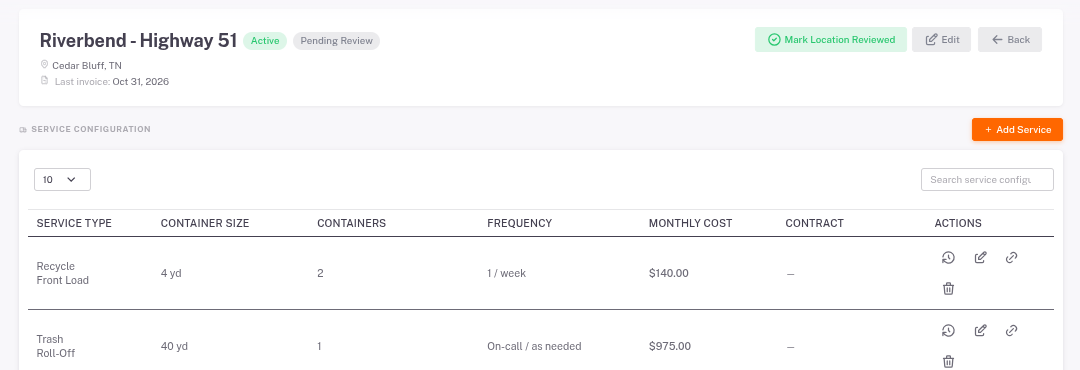
- Open the store and click Service Level.
- Click Add Service to add a container, or the pencil to change one.
- Use the history icon to see past changes, and the link icon to connect a service to an agreement (optional).
Keep this list up to date. Price per yard, the Service Cost Calculator and AI Operational Analysis all start from it.