
Every store has its own page with its costs, services, pricing and agreements.
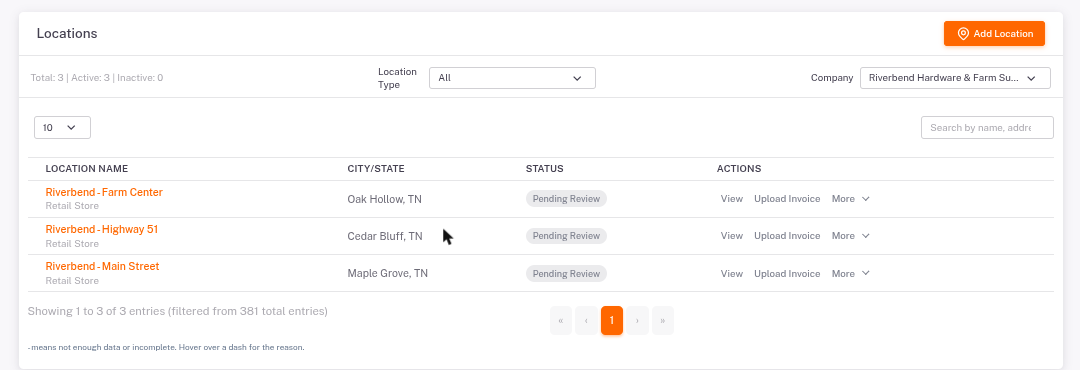
- Click Locations in the left menu.
- Filter by company or location type, or search by name or address.
- Click the store's name (or View) to open it.
The Overview tab
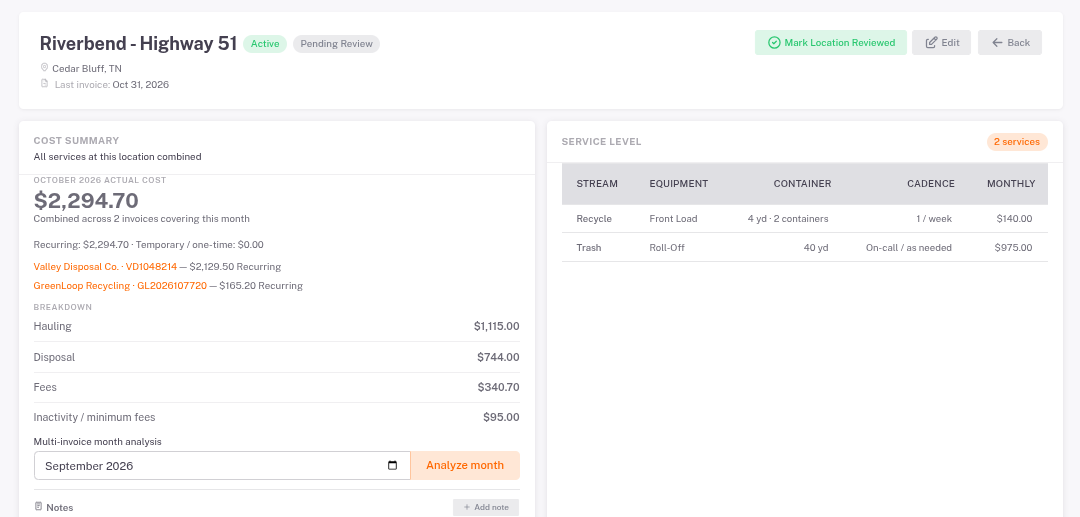
- Cost Summary: what this store was billed for the latest month, split into hauling, disposal, fees and minimum charges. Each hauler bill is listed and clickable.
- Service Level: each container, its size, how often it's emptied and its monthly cost.
- Price Per Yard Benchmark: what you pay per yard compared with similar stores and the benchmark. See the Price Per Yard guide.
- Contract Summary: hauler, term, expiration and base rate. Click Compliance detail for the full check.
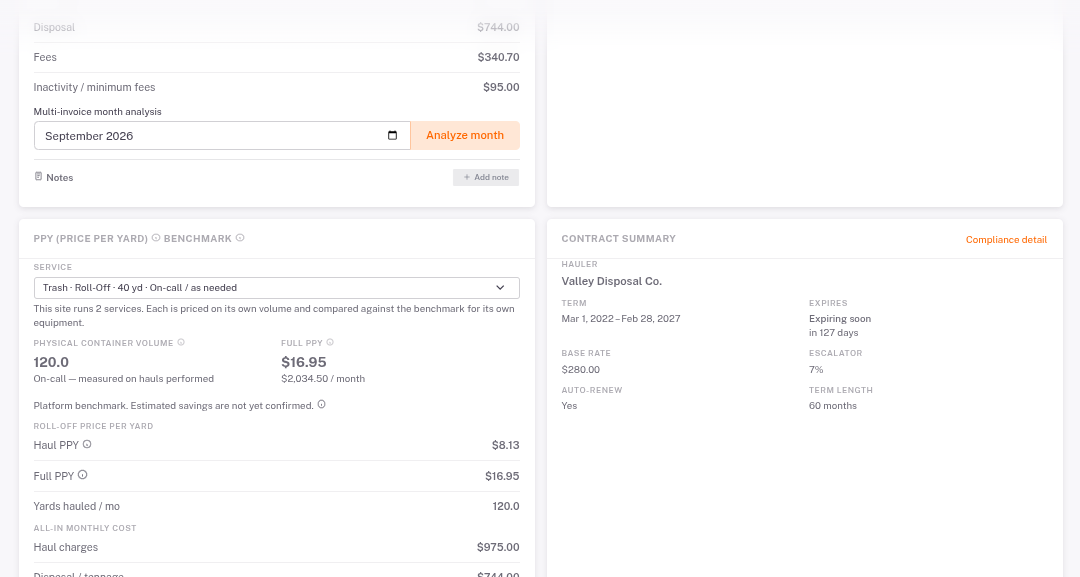
Multi-invoice month analysis: if a month has several bills, pick the month and click Analyze month to see them combined.