
The Service Cost Calculator starts from your current service and lets you test changes, like a different container size or fewer pickups, to see the estimated monthly cost and savings.
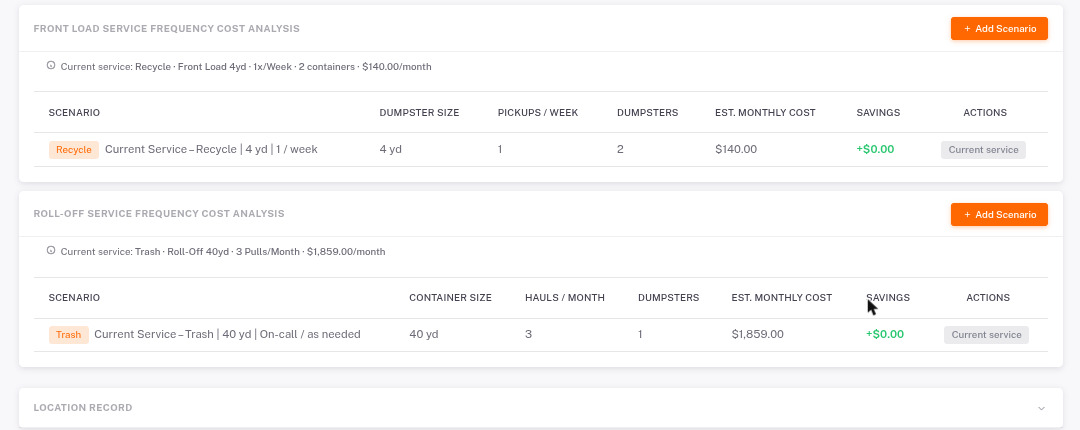
- Open the store and click Service Cost Calculator.
- Find the section for your container type: Front Load, Roll-Off or Compactor.
- Click Add Scenario, then set the container size, pickups or hauls, and number of containers.
- Compare the Est. Monthly Cost and Savings with your current service.
These are estimates to help you plan. Confirm pricing with your hauler before making a change.