
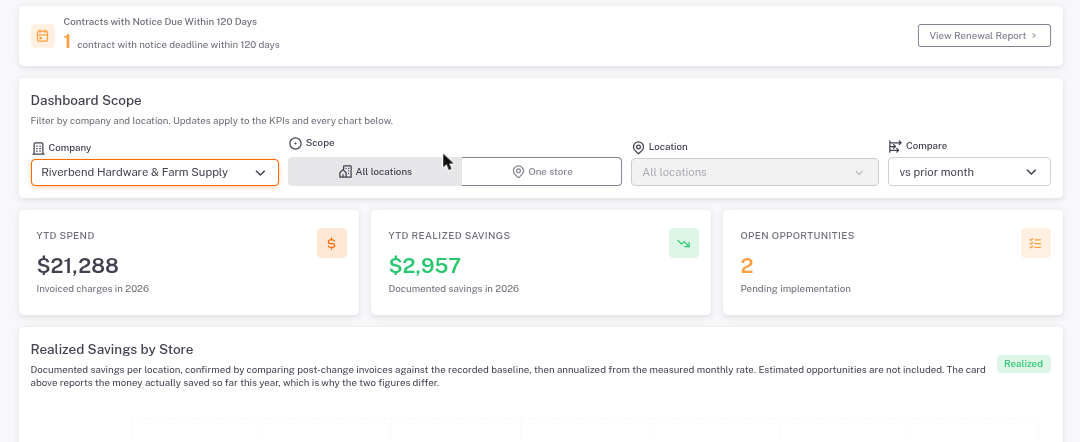
The Dashboard sums up spend, savings and open opportunities for the stores you choose.
How to use it
- Under Dashboard Scope, pick your company. To look at one store, choose One store and pick it.
- Read the three tiles: YTD Spend (what you've been billed this year), YTD Realized Savings (savings confirmed on your bills) and Open Opportunities (ideas not acted on yet).
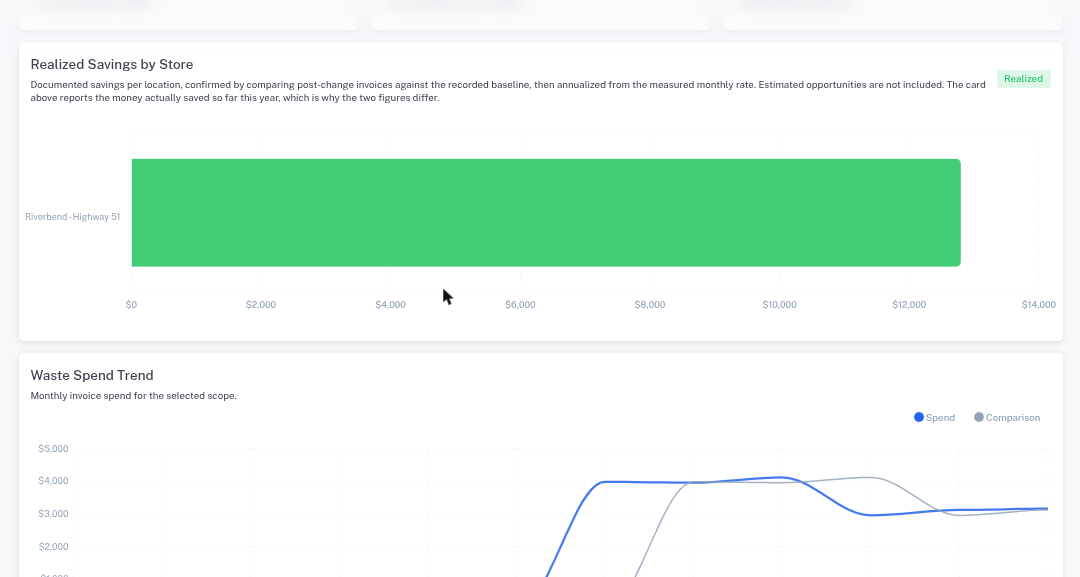
- Scroll down for Realized Savings by Store, the Waste Spend Trend and the Waste Volume Trend.
- Use Compare to see each month against the month before or the same month last year.
The banner at the top shows contracts whose cancellation notice is due within 120 days. Click View Renewal Report to see them.