
Upload an agreement or a renewal as soon as you get it. Integra reads the terms and uses them on the Contract Compliance and Contract Value Analysis tabs.
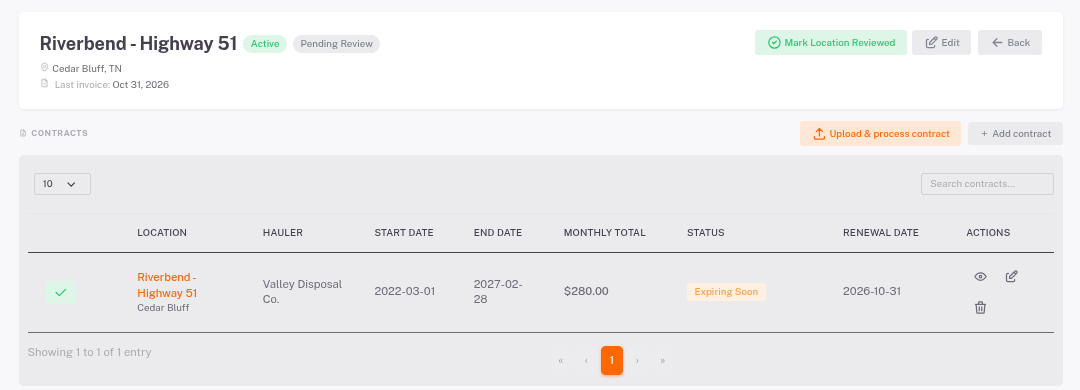
- Open the store and click Contracts in the left menu.
- Click Upload & process contract and choose the PDF. Integra reads the hauler, dates, notice period, rates, price-increase terms and services.
- Check what it found, fix anything that's wrong, and save.
- Or click Add contract to type the terms in by hand.
- Status shows Active, Expiring Soon or Expired.
- Renewal Date and the notice period drive the renewal reminders.
- Use the eye icon to view the agreement, the pencil to edit it.